 information aesthetics.

a new API from Google that generates information charts in a dynamic way. its usage is quite straightforward: you link to an image in the form of a parameterized URL, such as http://chart.apis.google.com/chart?cht=
p3&chd=t:90,49&chs=400x200&chl=data|bling.
"cht=p3" is the chart type, in this case, a pie chart.
"chd=t:90,49" are the chart values, text-encoded, and separated by a comma.
"chs=400x200" is the custom chart size, 400 by 200 pixels.
"chl=Data|Bling" are the different labels for the pie chart sections, separated via the pipe character.
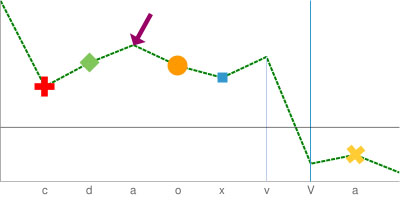
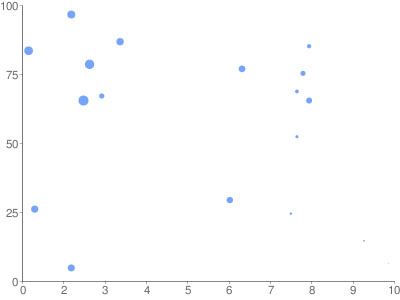
chart types include: line charts, bar charts, pie charts, Venn diagrams & scatterplots.
[link: |via ]
 Published with
  Content protected by
  Designed and Maintained by
  Time and Date follows Time Zone (Brussels)
I can see this would be very useful. Thanks for pointing it out.
Thanks for pointing this out. It is very cool. I look forward to integrating it into my future web apps.
I blogged about it here
Aren't pie charts more like http://chart.apis.google.com/chart?cht=p3&chd=t:10,90&chs=400x200&chl=data|bling ?
@n[ate]vw - cute ;o)
This is a great tool, on the other hand, get ready to see a lot of chart junk in the blogosphere!
Thanks for pointing this out -- it inspired me to build a simple charting interface: www.style.org/chartapi/
I think I found an error.
Try out
http://chart.apis.google.com/chart?cht=p&chd=t:258,29,6,3&chs=600x200
...and do the math...
Effzehn...it is based on a percentage of 100%. if you enter 258 you are exceeding the max limit, it uses the other numbers to calculate the percent and the rest is left over to the giant space you see.
I think I found an error.
Try out
http://chart.apis.google.com/chart?cht=p&chd=t:258,29,6,3&chs=600x200
...and do the math...
,thanks
Aren't pie charts more like http://chart.apis.google.com/chart?cht=p3&chd=t:10,90&chs=400x200&chl=data|bling ?
Next we need to design individual elements like infoboxes and the application catalog.
a new API from Google that generates information charts in a dynamic way. its usage is quite straightforward: you link to an image in the form of a parameterized URL
Effzehn...it is based on a percentage of 100%. if you enter 258 you are exceeding the max limit, it uses the other numbers to calculate the percent and the rest is left over to the giant space you see.
This tool is really enough powerfull and simple at the same time. I want to add that it can help in insertion formulas on the site using Tex language and GOOGle enconding mechanism. At my personal blog I realised some instruments to be helpful for building such diagrams.
it is based on a percentage of 100%. if you enter 258 you are exceeding the max limit, it uses the other numbers to calculate the percent and the rest is left over to the giant space you see.
I’d be inclined to comply with you here. Which is not something I usually do! I love reading a post that will make people think. Also, thanks for allowing me to speak my mind!